



With FLOWIN, you can collect news from several Telegram channels into one digest. The service automatically watches for new posts and sends the roundup to your channel.

An example of a news digest in Telegram
Below is an example of a digest you can generate with FLOWIN. You choose its style, format, topic and structure.
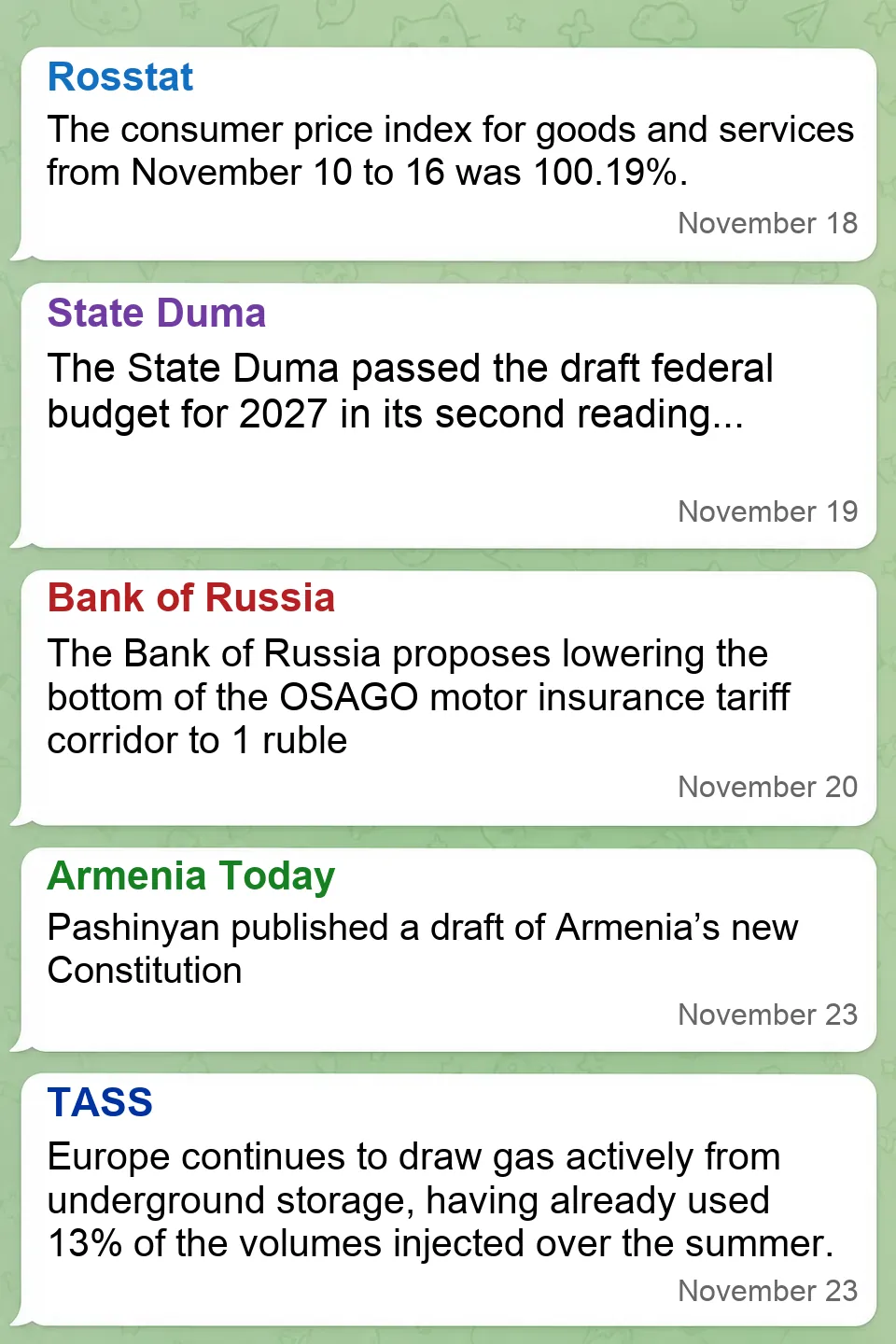
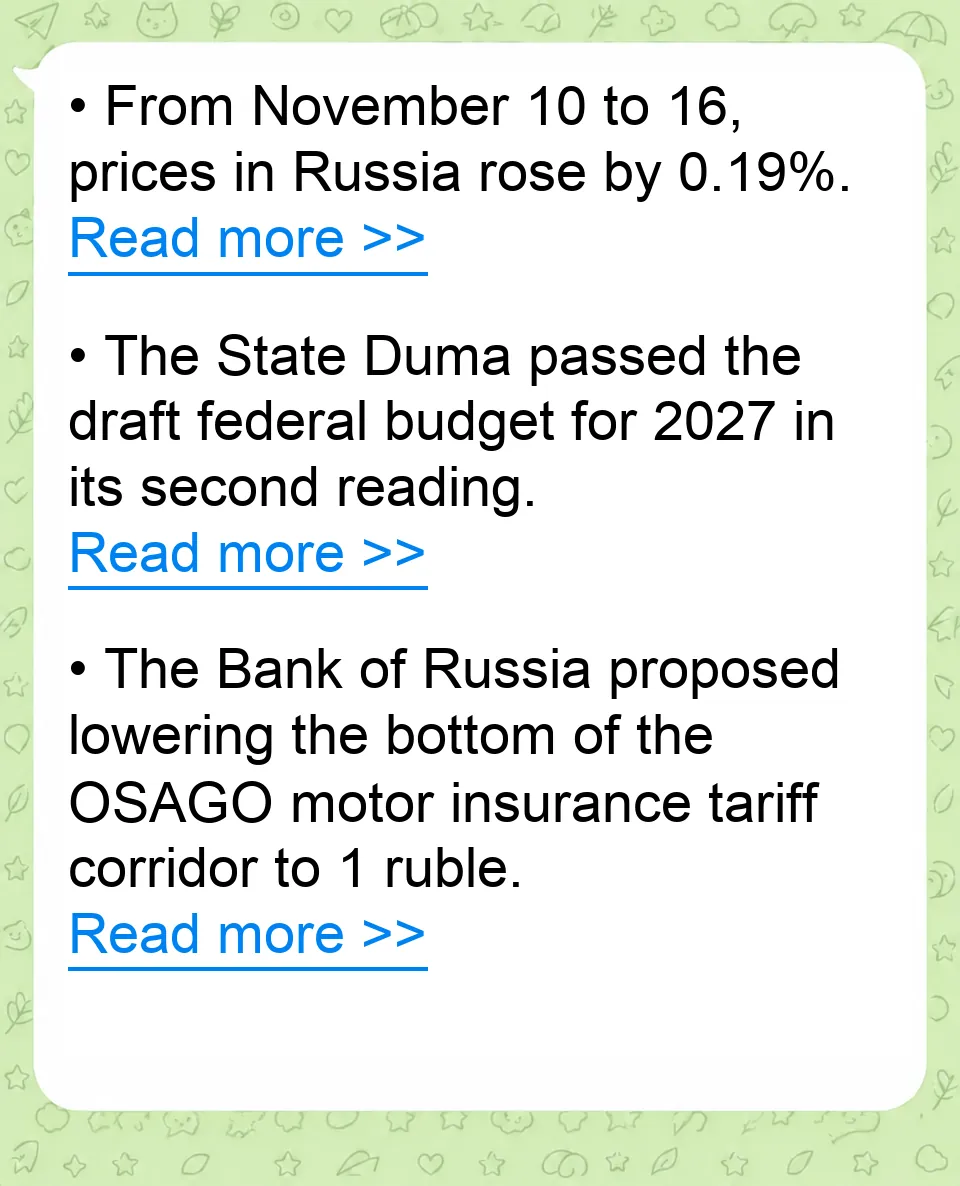
Next, we will look at how to set up a digest like this and what to consider when selecting and publishing news.
How to collect news from several channels
First, we will specify which channels to get news from and where to publish the digest. In FLOWIN, a single forward connects these channels.
Before you begin
You will need a Telegram account that is already connected to FLOWIN and subscribed to the channels you want to collect news from.
Open @flow_in_bot, send the
/startcommand, and click “Control panel”.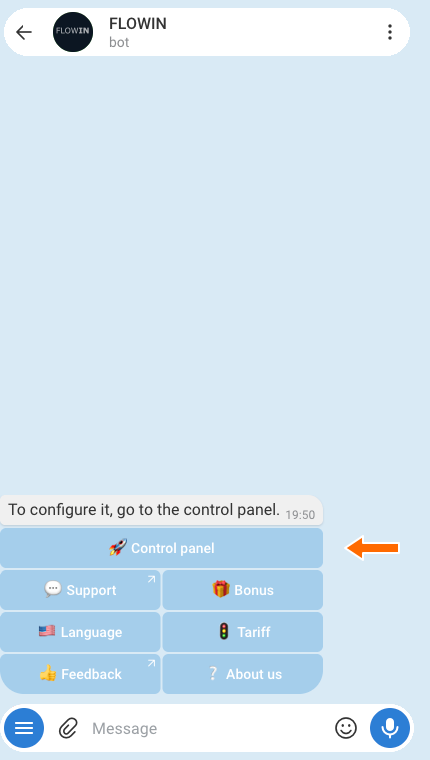

Accessing the control panel through @flow_in_bot. Open “Forwards” in the menu and click “Create”.
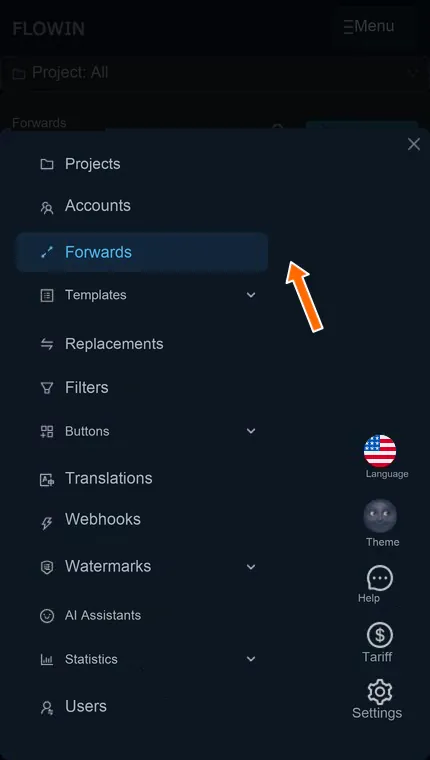
On a phone, the menu is in the top right corner. 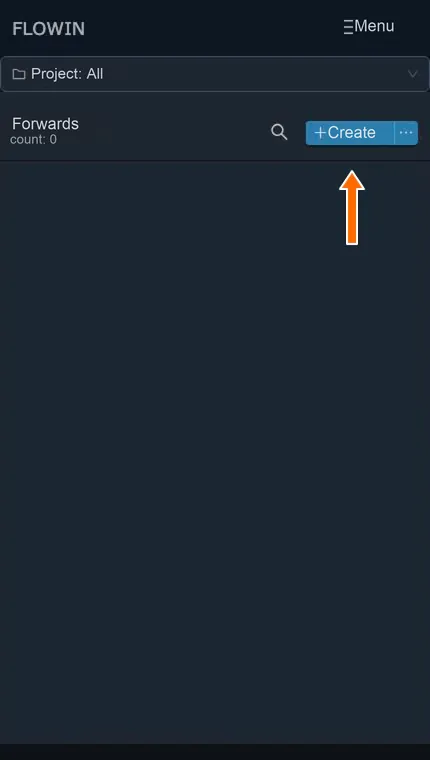
Creating a forward. At the top of the form, switch off the forward while you configure it.
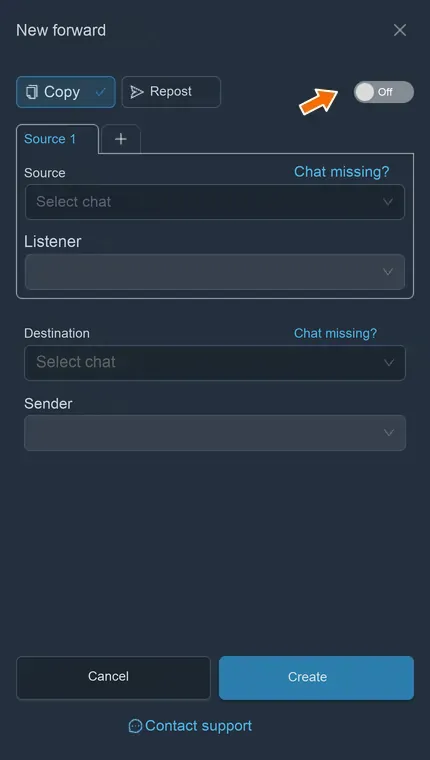
The switch in the top right corner should show “Off”. In the “Source” field, select the first news channel. Click the plus sign next to “Source 1” to add the other channels one at a time.
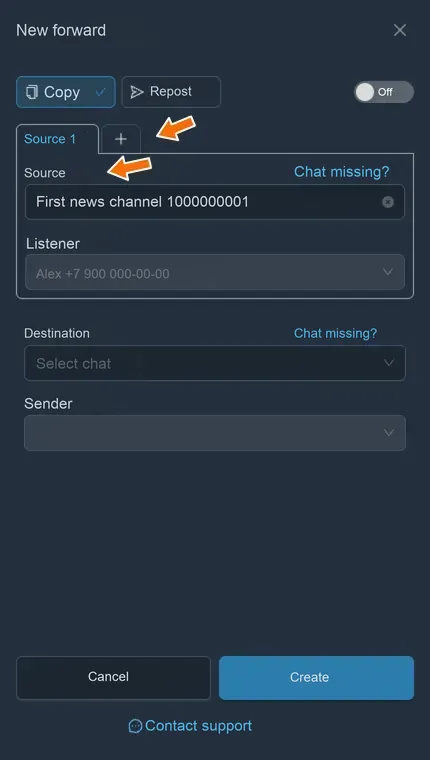
Several sources in one forward. In the “Destination” field, select a channel where your account can publish posts. Click “Create”.
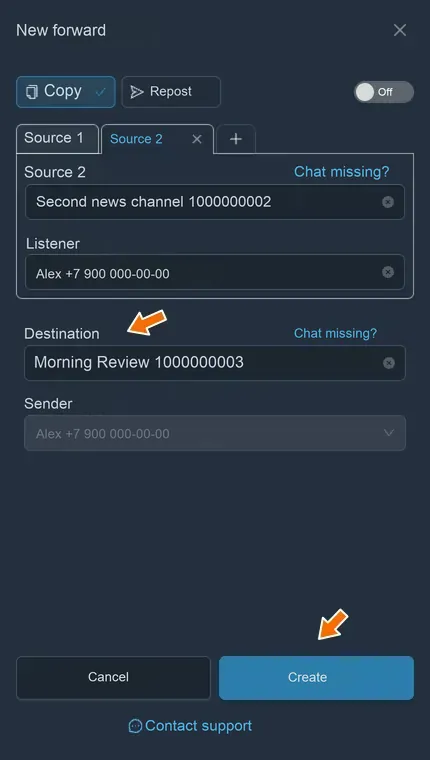
The digest channel in the “Destination” field. In the “Forwards” list, click the gear icon in your forward’s row.
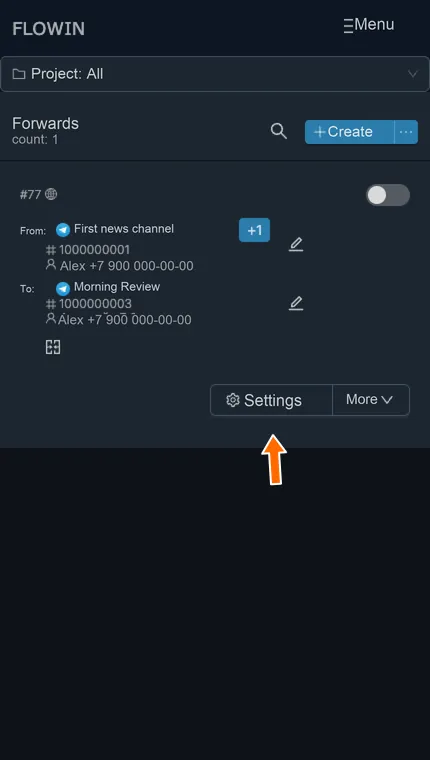
The forward’s settings in the list. Turn on “Merging”. In the “Message limit” field, specify how many messages to combine into one roundup. In the “Interval” field, set how long FLOWIN should wait for new messages from the sources. Click “Save”.
Once started, FLOWIN will monitor the selected channels. As soon as they have enough messages, the service will combine them into one roundup. If the waiting period ends sooner, it will include the news already collected. For long posts, choose a low limit so the end of the roundup is not cut off.
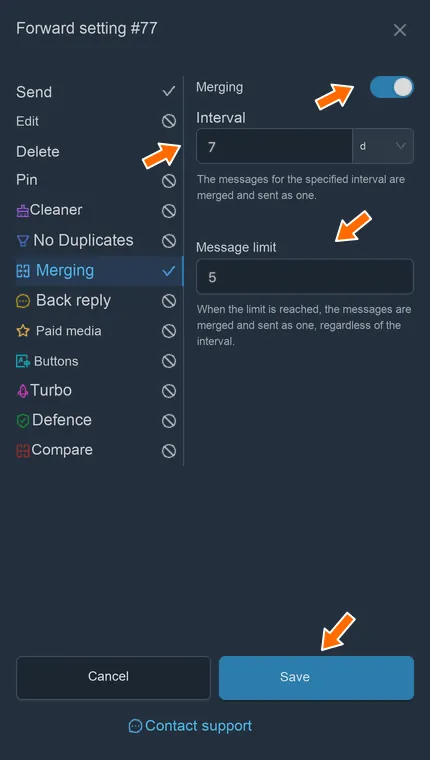
The roundup size and waiting period.
FLOWIN will now collect posts from the selected channels into one message. To make it possible to open each news item from the future roundup, we will first add a link to its original post.
How to add source links
The “Replacements” section has a ready-made template for a source link. It adds a link to the Telegram post to each message before merging. This gives the assistant the original address even when the news text itself contains no links.
Open “Replacements” and click “Create”.
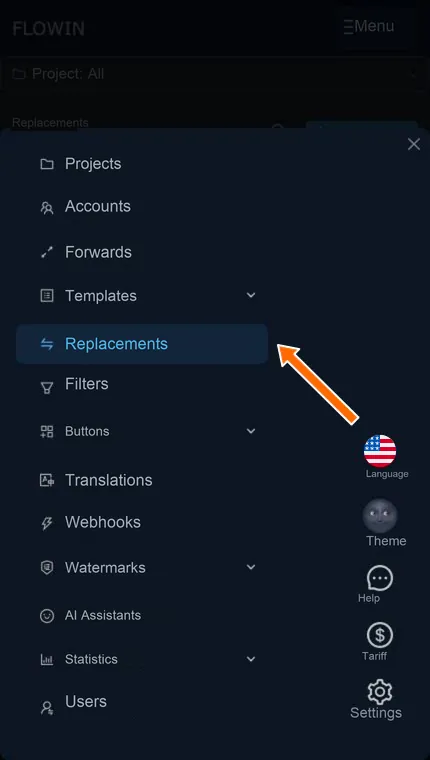
The “Replacements” section in the control panel menu. 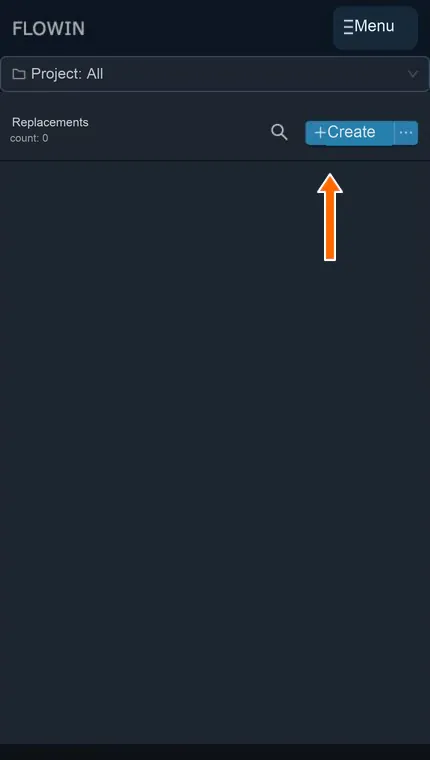
Creating a replacement. In “Ready examples”, select “Add link to source”.
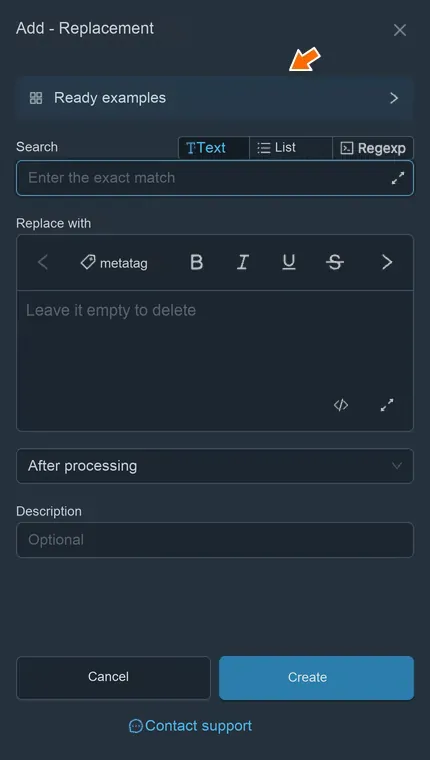
Ready-made replacement examples. 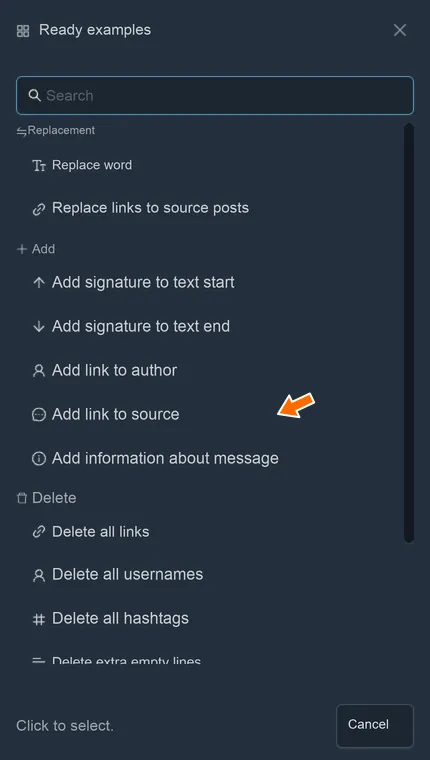
The template for a link to the original post. Below the “Replace with” field, select “Before processing” and click “Create”.
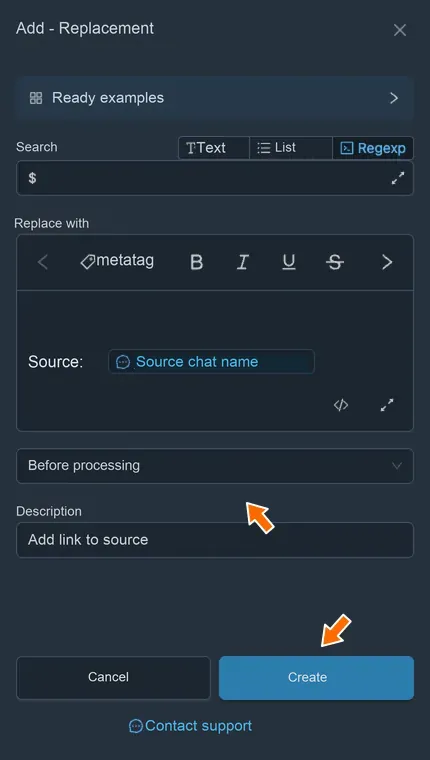
This is how the link looks in the visual editor. In the replacements list, click “Apply” for the new template. Select your forward and click “Save (1)”.
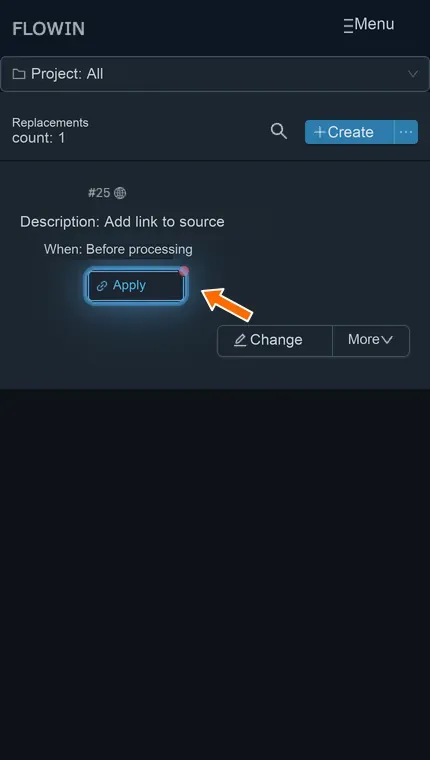
Applying the link template. 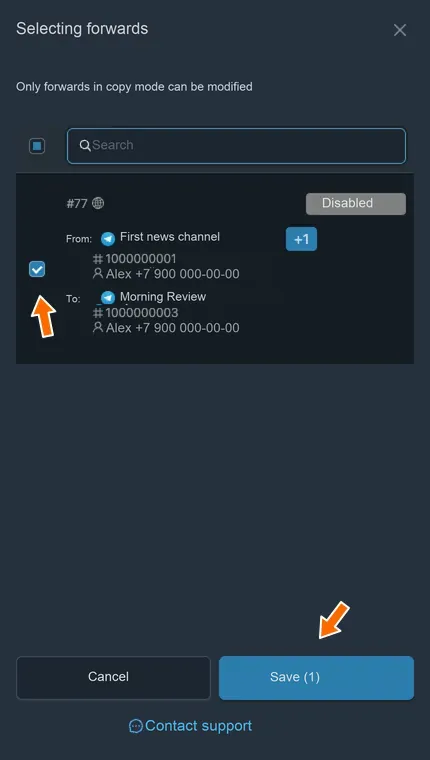
Selecting the digest that will contain the links.
Each news item in the roundup will now have a link to the original post. All that remains is to turn the full texts into short notes.
How to shorten news with AI
FLOWIN has AI assistants for processing the collected news. Below, we will look at how to create an assistant, give it a task and connect it to the same forward.
Open “AI Assistants” in the menu and click “Create”.
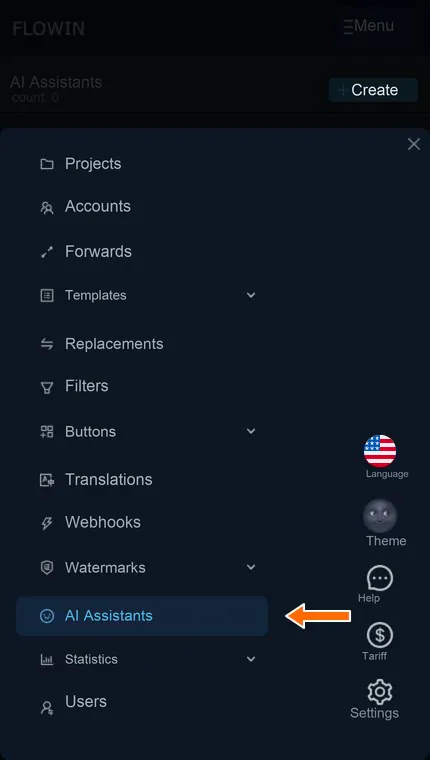
The “AI Assistants” section in the main menu. 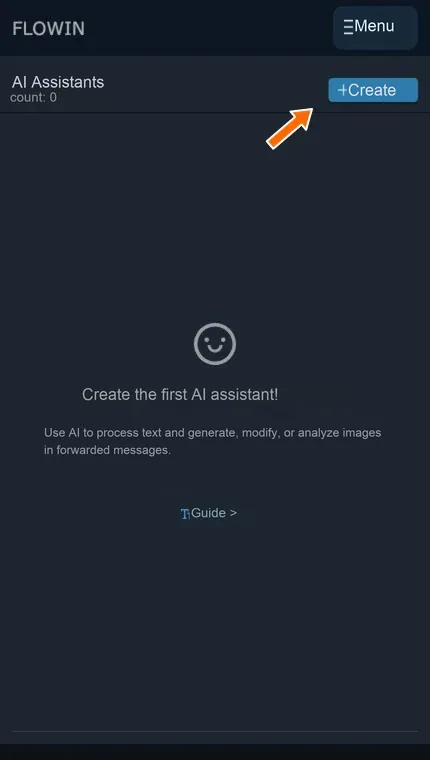
Creating an assistant. Paste this text into the “Task” field.
Make a brief roundup of the following message. Summarize each news item in one simple sentence (one specific fact without unnecessary detail). If a news item contains several sources, keep only 1 (give priority to external links outside Telegram). Put the source below it on a new line in the format
<a href="source link">Read more >></a>Return the news roundup in HTML format supported by Telegram. Remove duplicates and news items with little information.
Leave a blank line between news items.
Use • at the start of each list item. No main heading is needed - start directly with the list of news items.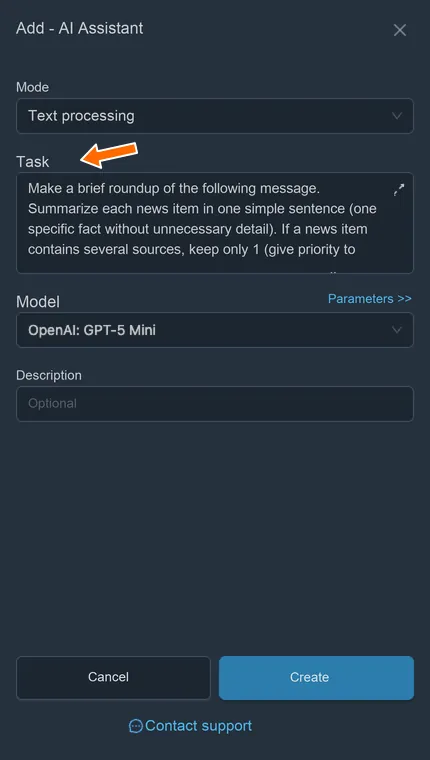
The task for shortening news. Next to the “Model” field, click “Parameters”. In the “Formatting” field, select “HTML” and click “Apply”. A clickable “Read more >>” link will then appear below each news item.
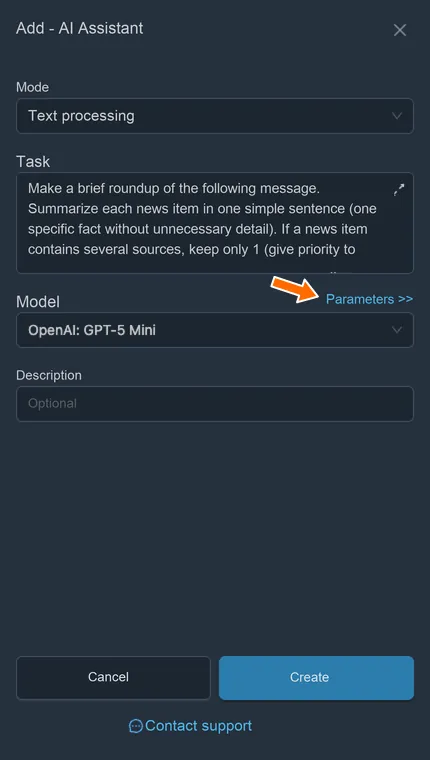
Opening the assistant’s parameters. 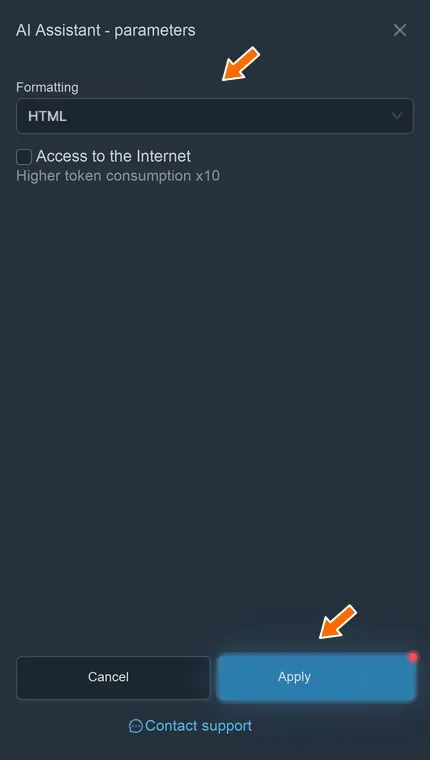
HTML format for links in the digest. Click “Create”, then “Apply” in the new assistant’s row. Select the forward you set up for the digest and click “Save (1)”.
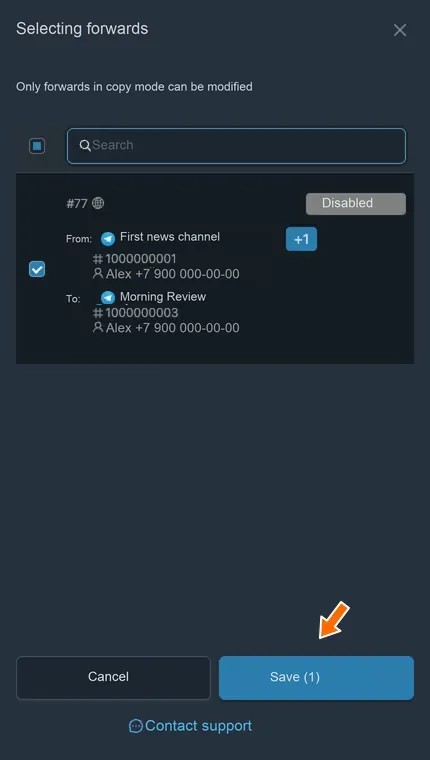
Selecting the forward the assistant will work with.
You can now turn on the forward. The assistant will shorten news, remove duplicates and leave one link below each item. If your channel needs news on a particular topic, you can also add a filter.
How to select news by keywords
FLOWIN has a keyword filter for selecting news by topic. This filter will pass only messages containing at least one word from the list to the assistant.
Open “Filters” and click “Create”. Next to the “Search” field, select “List”. Enter the words you need, separated by commas, select “Allow” and click “Create”.
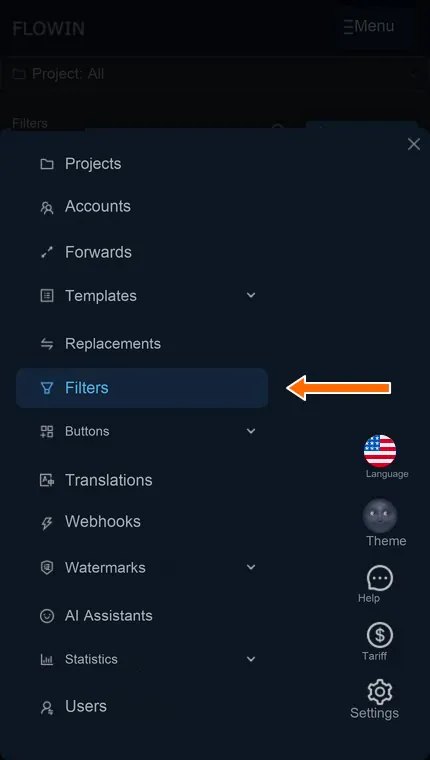
The “Filters” section in the control panel menu. 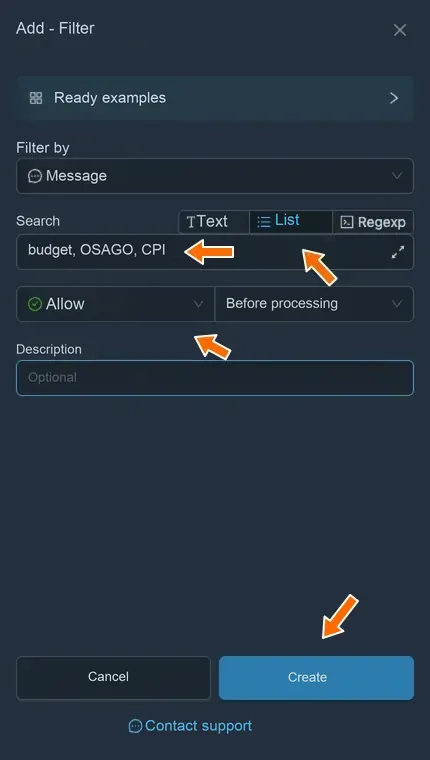
The list of words for selecting news. On the filter card, click “Apply”, then “Forwards”. Select your forward and click “Save (1)”.
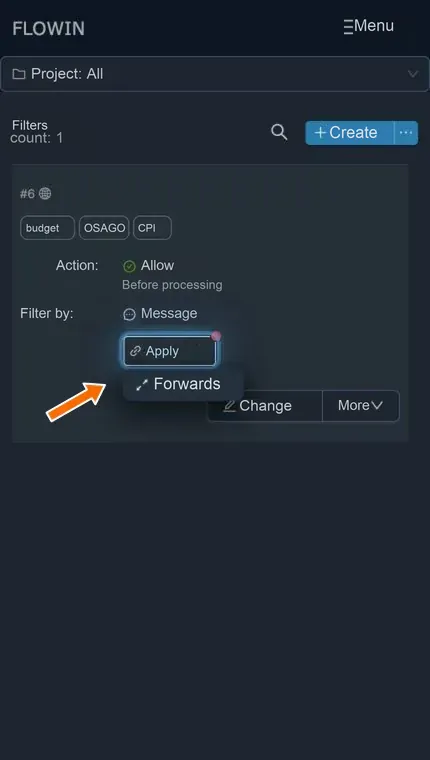
The “Forwards” item in the filter menu. 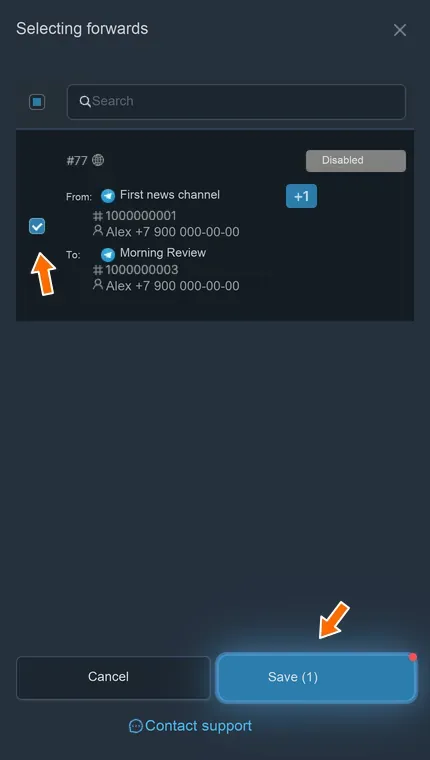
Selecting the digest for the filter.
Which news items will make it into the digest
The word “budget” will match both “budget expenditure” and “film budget”. However, a news item about government spending may be left out of the digest if it contains none of the words on your list.
When it is important to include news like that too, you can let AI handle the selection. In this case, the keyword filter is optional.
How to let AI select news by topic
You can describe the digest’s topic directly in the assistant’s task. It will select relevant news from the roundup and summarize it. When none of the news is relevant, a filter will help skip that edition.
In “Forwards”, open the digest’s settings. In the “Cleaner” section, turn on “No media” and click “Save”. This gives the assistant the news texts and attachment captions to select from. The attachments themselves will not be included in the digest.
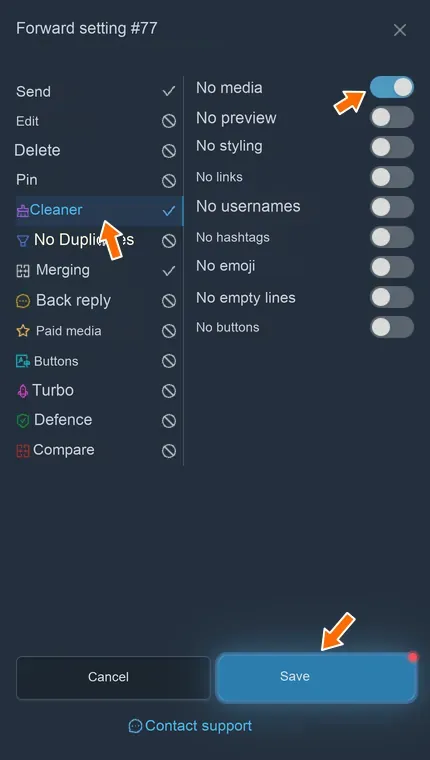
The “No media” setting in the forward’s settings. If you have already connected a keyword filter, decide which news to pass to the assistant. To let it receive all news, open “Filters”, click “Forwards” on the keyword filter card and uncheck your digest. Save your selection.
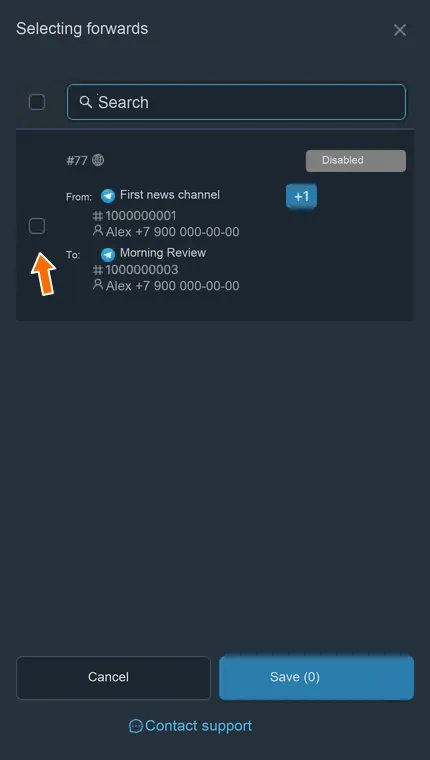
An empty checkbox means the filter is disabled for this digest. In the “Filters” section, click “Create”. In the “Search” field, enter
#notinteresting. A little later, we will ask the assistant to return this marker when the roundup contains no news on the topic. Select “Block” and “After processing” so the filter stops that response before publication. Click “Create”.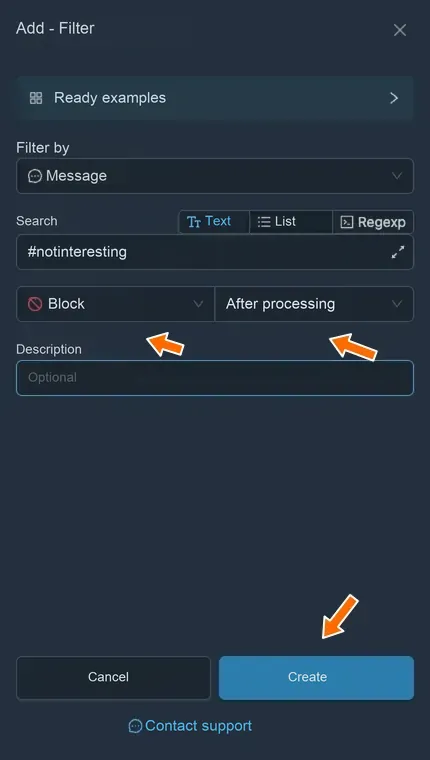
The filter looks for the marker in the assistant’s finished response. On the new filter’s card, click “Apply”, then “Forwards”. Select the digest and click “Save (1)”.
Return to “AI Assistants” and click “Change” in the digest assistant’s row. Add a selection condition at the beginning of the “Task” field. Below is an example for a channel about the Russian economy. Specify your own topic and save the changes.
Include only news about the Russian economy in the roundup. If no news remains after selection, reply with only #notinteresting.
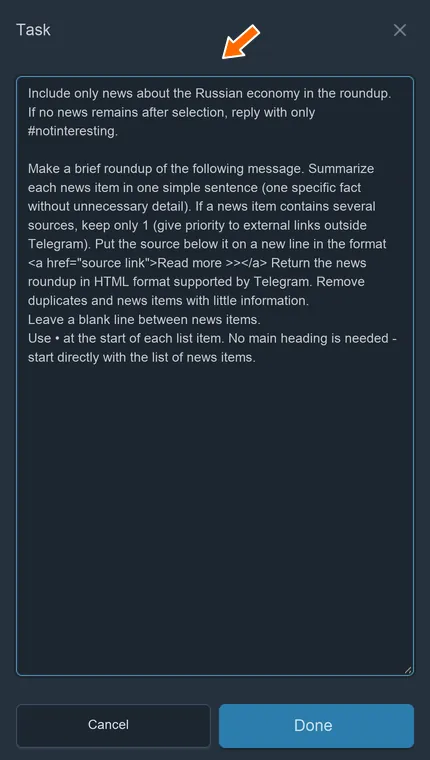
The selection condition before the main task.
How to start the digest
We switched off the forward during setup. You can now turn it on. The digest will include news that appears in the selected channels after it starts.
Open “Forwards” and turn on the switch in the digest’s row.
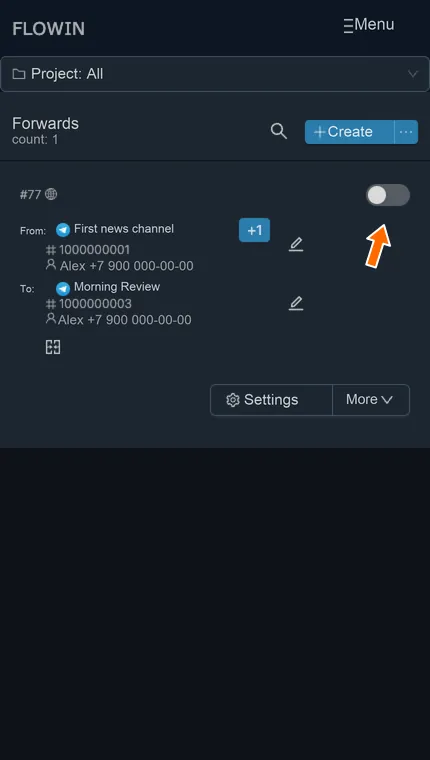
The start switch in the digest’s row. When the digest appears in the channel, open it. Check that the items were published as a single post, and compare the summaries with the original news. Click “Read more >>” below an item. The link should lead to that news item’s source. If the post contained several links, the assistant was instructed to prioritize sources outside Telegram.
Frequently asked questions
How can I collect news from different sources in one Telegram channel?
Create a single forward in FLOWIN. Add news channels in the “Source” field and select your channel in the “Destination” field. To receive the posts as one message, turn on “Merging”.
How can I make a news roundup with AI?
Connect an AI assistant to a forward with “Merging” enabled. In the “Task” field, ask it to keep one fact from each news item and assemble the notes into a list. You can copy the ready-made prompt from the instructions.
Can I create a news digest just about the Russian economy?
Yes. Add “Include only news about the Russian economy in the roundup” to the AI’s task. If you want to skip editions where nothing qualifies, set up a filter for an empty roundup.
How can I make a digest without duplicates?
In the AI’s task, ask it to combine messages about the same event into one item. This lets the assistant keep one news item even if several channels have covered it.
Where does the “Read more” link below a news item lead?
If the news author included a link to a website, the article’s prompt tells the assistant to choose it. When the original post has no external link, the assistant can link to the post itself. To enable this, connect the “Add link to source” template in “Replacements”.
When will the news digest appear in the channel?
After the forward is turned on, FLOWIN waits for new posts. The digest will be published as soon as the specified number of messages has been collected. If the waiting period ends sooner, the post will include the news collected so far.